What Are MCP Servers? A Beginner-Friendly Guide
If you’ve been following AI recently, you’ve probably heard people talking about MCP servers. They seem to be everywhere—on YouTube, X (formerly Twitter), Reddit, and developer communities.
At first, the name sounds technical, but the idea behind it is actually quite simple.
In this article, we’ll understand what MCP servers are, why they’re becoming popular, and why they could change the way we use AI.
What Does MCP Stand For?
MCP stands for Model Context Protocol.
Think of it as a common language that allows AI assistants to communicate with other applications.
Without MCP, every AI tool would need its own custom integration for every app.
With MCP, everyone follows the same standard.
It’s similar to how USB became a universal connector for devices.
Instead of creating different cables for every gadget, one standard made everything easier.
MCP does something similar for AI.
Why Do We Need MCP?
Need a website built properly?
Fast, modern, fully owned — from ₹7,999, delivered in 1–2 weeks.
Chat on WhatsAppSee pricingImagine asking an AI assistant:
“Show me my latest GitHub issues.”
Without MCP, the AI cannot magically access your GitHub account.
Someone has to build a custom connection between the AI and GitHub.
Now imagine you also want the AI to access:
- Google Drive
- Notion
- Slack
- Gmail
- PostgreSQL
- Your local files
Without a common standard, developers would have to build and maintain separate integrations for every application.
That quickly becomes difficult.
MCP solves this problem by creating one standard way for AI to talk to tools.
Think of It Like a Universal Adapter
Imagine you’re traveling around the world.
Different countries have different power sockets.
Instead of carrying ten different chargers, you carry one universal travel adapter.
That adapter works everywhere.
An MCP server works in a similar way.
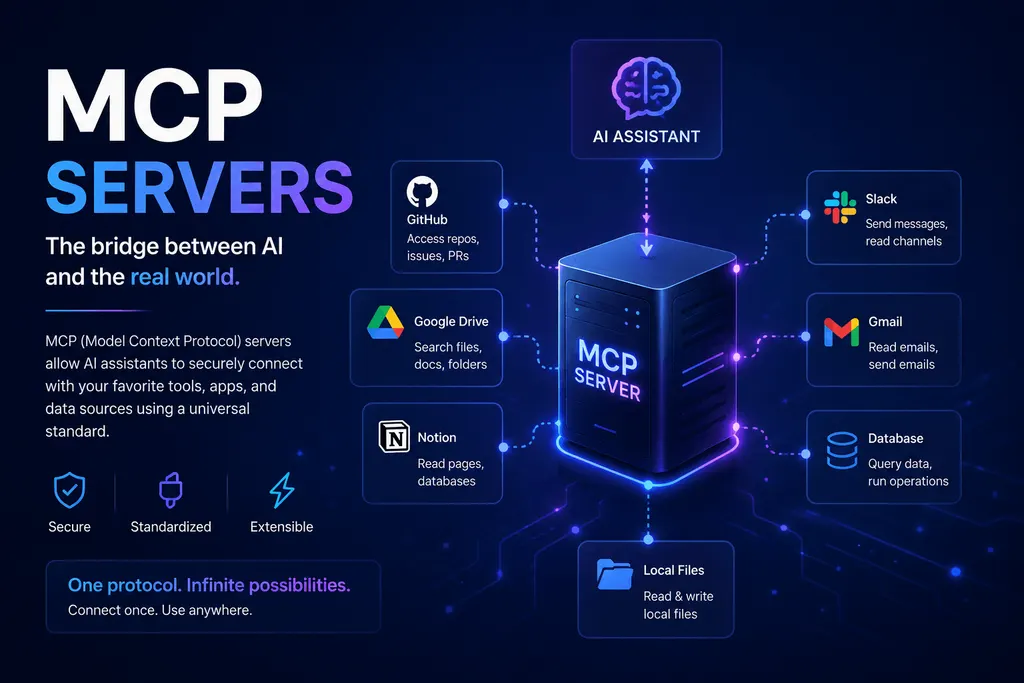
It acts as the bridge between an AI model and the applications you want it to use.
What Is an MCP Server?
An MCP server is simply a program that exposes tools or information in a format AI assistants understand.
It can provide access to things like:
- Files on your computer
- Databases
- APIs
- GitHub repositories
- Calendar events
- Cloud storage
- Company documentation
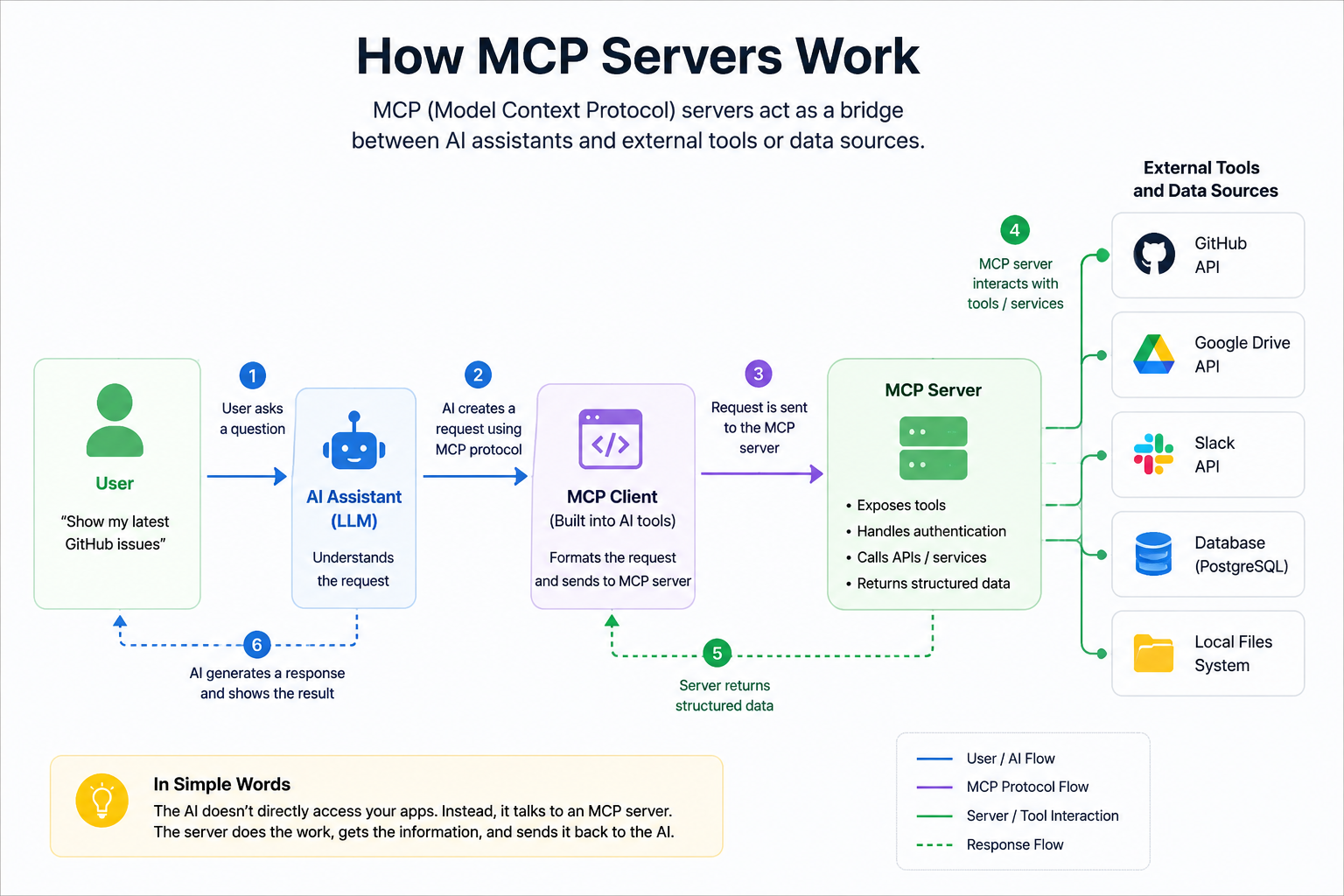
The AI doesn’t directly know how these systems work.
Instead, it asks the MCP server.
The server does the work and sends back the result.
A Simple Example
Let’s say you ask your AI assistant:
“Find my latest invoice from Google Drive.”
Here’s what happens behind the scenes.
- The AI understands your request.
- It asks the Google Drive MCP server.
- The server searches your Drive.
- It finds the invoice.
- It sends the result back to the AI.
- The AI shows you the file.
From your perspective, it feels like the AI did everything.
Behind the scenes, the MCP server handled the connection.
Why Developers Love MCP
Before MCP, developers had to write custom code for every AI integration.
Now they can build one MCP server and use it with multiple AI applications.
This means:
- Less code to maintain
- Easier integrations
- Faster development
- Better compatibility
- More reusable tools
It’s a win for both developers and users.
What Can MCP Servers Connect To?
Almost anything that has data or an API.
Some common examples include:
- GitHub
- GitLab
- Google Drive
- Gmail
- Slack
- Notion
- PostgreSQL
- MySQL
- SQLite
- Local files
- Docker
- Kubernetes
- Cloud platforms
New MCP servers are being created almost every week.
Are MCP Servers Only for Developers?
Not at all.
Developers build them, but everyone benefits.
Imagine asking your AI assistant:
- “Summarize today’s emails.”
- “Show my unfinished tasks.”
- “Create a meeting note in Notion.”
- “Find all invoices from last month.”
- “Check today’s GitHub pull requests.”
Instead of opening five different apps, you simply ask your AI.
That’s the experience MCP is helping create.
Is MCP Safe?
It can be, but like any software, security matters.
A good MCP server only gives access to the information you’ve allowed.
You should only install MCP servers from trusted sources and review the permissions they request.
Remember:
Giving an AI access to your files is similar to giving any application access to your data.
Only grant permissions you are comfortable with.
Why Is Everyone Talking About MCP?
The AI industry is moving quickly.
People don’t just want chatbots anymore.
They want AI assistants that can actually help them get work done.
MCP makes that possible by providing a standard way for AI to interact with tools, files, and services.
Instead of AI simply answering questions, it can now perform useful tasks across different applications.
Should You Learn MCP?
If you’re a developer interested in AI, the answer is yes.
You don’t need to become an expert overnight.
Start by understanding:
- What MCP is
- How clients communicate with servers
- How tools are exposed
- How AI uses those tools
Once you understand these basics, you’ll find it much easier to build AI-powered applications.
Final Thoughts
MCP might sound like another complicated technology, but the idea is surprisingly simple.
It’s a common standard that allows AI assistants to communicate with the tools and services we use every day.
As more applications adopt MCP, AI will become more useful, more connected, and better at helping us with real work.
If you’re learning AI or modern software development, understanding MCP today will give you a head start for the future.
The next generation of AI won’t just answer questions—it will work alongside us. MCP is one of the technologies making that future possible.
Tags
#mcp#ai#llm#automation#devlopment