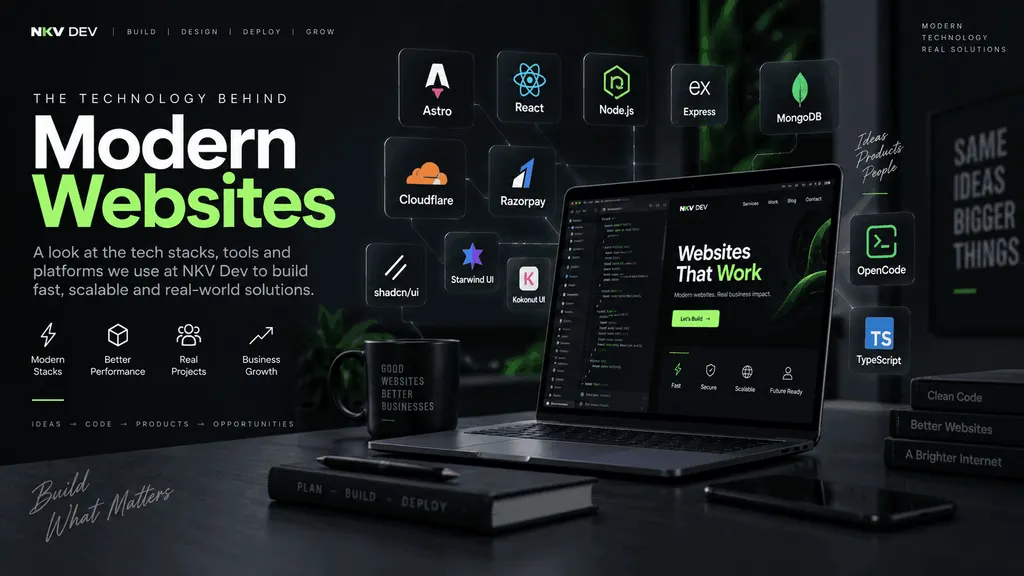
The Technology Behind Modern Websites: How We Build at NKV DEV WORKS
A modern website is no longer just HTML, CSS, and a contact form.
Depending on the project, a website may involve a frontend framework, databases, APIs, payment gateways, authentication, content management, cloud infrastructure, analytics, SEO, and increasingly, AI-assisted development.
At NKV DEV WORKS, we believe technology should be selected according to the problem—not simply because a particular framework is popular.
A small business website does not need the same architecture as a SaaS platform.
An industrial catalogue does not need the same stack as an e-commerce application.
And a payment-based application needs a very different backend architecture from a static portfolio.
This is why our development stack includes technologies such as Astro, React, MERN, Cloudflare, Razorpay, shadcn/ui, Starwind UI, Kokonut UI, TypeScript, Node.js, Git, and AI development tools such as OpenCode.
Our Development Philosophy
Before choosing a technology, we ask a simple question:
What does this project actually need?
For a content-heavy business website, performance and SEO may be the highest priorities.
For an application, interactivity and state management may matter more.
For an e-commerce platform, payments, orders, inventory, and security become critical.
For a B2B catalogue, discoverability, product organization, and enquiry generation may be more important than online checkout.
There is no single “best tech stack.”
There is only the right stack for the project.
Related reading: see our 8-page guide to the different types of websites for how we match project type to architecture.
Astro: Our Choice for Fast, Content-Driven Websites
Need a website built properly?
Fast, modern, fully owned — from ₹7,999, delivered in 1–2 weeks.
Chat on WhatsAppSee pricingAstro is one of the technologies we particularly like for modern business websites.
Astro is designed for content-driven websites such as marketing sites, blogs, portfolios, documentation, landing pages, and e-commerce experiences. Its architecture emphasizes server-rendered HTML and reducing unnecessary JavaScript sent to the browser. (Astro’s official docs explain the design goals in detail.)
One of the most interesting concepts in Astro is Islands Architecture.
Instead of turning an entire page into a large JavaScript application, most of the page can remain lightweight HTML while interactive components are loaded only where needed.
For example, a business website might have:
Static HTML
- Navigation
- Hero section
- Services
- About section
- Product descriptions
- Blog content
- Footer
…and only use JavaScript for:
Interactive Islands
- Mobile menu
- Product filters
- Image carousel
- Search
- Interactive pricing calculator
- Contact form
This approach matters when performance and SEO are important.
For a business website, we don’t necessarily want to send a huge JavaScript application to a visitor who simply wants to read a page.
React: When the Website Needs Application-Level Interactivity
React is a different kind of tool.
While Astro is particularly strong for content-driven websites, React is extremely useful when the interface itself behaves like an application.
Examples include:
- Dashboards
- Admin panels
- SaaS applications
- Complex forms
- Real-time interfaces
- Data-heavy applications
- Interactive web applications
This is where React can become a powerful choice.
And Astro doesn’t prevent us from using React.
Astro supports multiple UI frameworks and allows interactive components to be added where they are actually needed.
That means a project doesn’t have to be:
100% Astro
or
100% React
The architecture can be designed around the actual requirements.
MERN: A Full-Stack JavaScript Approach
For application-heavy projects, the MERN stack remains an important option.
MERN stands for:
MongoDB Express React Node.js
MongoDB describes MERN as a stack where React handles the presentation layer, Express and Node.js form the application layer, and MongoDB provides the database layer.
A typical architecture might look like:
React Frontend
↓
Express / Node.js API
↓
MongoDB
This can be useful for applications where we need:
- User accounts
- Authentication
- APIs
- Dashboards
- CRUD operations
- Complex application logic
- Real-time functionality
MERN isn’t automatically the best choice for every website.
For a simple company website, using a full MERN architecture could introduce unnecessary complexity.
But for a web application, it can be a very capable stack.
Cloudflare: More Than Just DNS
Cloudflare is another major part of modern web infrastructure.
Many people know Cloudflare primarily as a DNS and CDN provider, but its developer platform goes much further.
Cloudflare Workers provides a serverless environment for building and deploying applications on Cloudflare’s global network. It supports multiple languages and frameworks, including JavaScript, TypeScript, React, Astro, and others.
This makes Cloudflare particularly interesting for projects where we want:
- Global delivery
- Serverless APIs
- Edge computing
- Static hosting
- Database connectivity
- Application backends
- CDN and security
- Scalable infrastructure
For some projects, the architecture can look like:
Astro
↓
Cloudflare Pages / Workers
↓
Cloudflare D1
This gives us a modern deployment architecture without maintaining a traditional VPS for every project. We use this on our own site and for fast, globally distributed client builds.
Cloudflare D1: SQL Database at the Edge
When an application requires a database, Cloudflare D1 can be an interesting option.
D1 is Cloudflare’s managed serverless SQL database based on SQLite semantics and can be accessed from Workers and Pages projects. (Cloudflare’s D1 documentation is the reference we follow.)
For example, a business application could have:
Frontend
Astro / React
↓
API
Cloudflare Workers
↓
Database
Cloudflare D1
This architecture can be particularly useful for applications such as:
- POS systems
- Inventory systems
- Business dashboards
- Customer management
- Internal tools
- Booking systems
- Product catalogues
The technology is selected based on the application’s requirements rather than following a one-size-fits-all architecture.
Razorpay: Connecting Websites to Real Payments
A website becomes significantly more interesting when it needs to accept money.
For Indian businesses, payment integration can be an important part of e-commerce and custom web applications.
Razorpay provides payment gateway integrations for websites and applications, including web-based Standard Checkout and API-based integrations. (Razorpay’s integration docs cover both the hosted checkout and the API flow.)
A typical payment architecture is more than simply adding a “Pay Now” button.
A secure payment flow generally involves:
Customer
↓
Website
↓
Create Order
↓
Payment Gateway
↓
Payment
↓
Server-side verification / webhook
↓
Order confirmation
Razorpay’s documentation specifically describes creating an order server-side and using webhooks for server-side confirmation in standard web integrations.
This is why payment systems should be treated as an engineering problem—not simply a frontend feature.
shadcn/ui: Components You Actually Own
Traditional component libraries usually work by installing a package and importing components from it.
shadcn/ui takes a different approach.
It describes itself as a collection of accessible components and a code distribution platform rather than a traditional component library. (shadcn/ui’s docs describe the add-to-codebase model.) Components are added to your project as source code, which means developers can modify and extend them directly.
This is useful when building custom interfaces.
Instead of:
Library → Use component → Fight against library styles
you can have:
Component source → Modify → Extend → Own
shadcn/ui currently supports frameworks and setups including Astro, Vite, React, Next.js, and others.
For teams that want a consistent design system without being locked into a rigid component API, this approach is particularly attractive.
Starwind UI: UI Components for Astro and More
Starwind UI is another component system in the modern frontend ecosystem.
It provides styled components and accessible primitives for Astro, React, and plain HTML, with components that can be added to your project and customized. (Starwind UI’s site documents the styled and primitive component sets.)
This makes Starwind particularly interesting for Astro projects.
Instead of building every component from scratch, developers can start with components such as:
- Buttons
- Forms
- Cards
- Navigation
- Dialogs
- Tables
- Feedback components
…and customize them for the project’s design system.
The important part is that the source lives within the project, giving developers control over the implementation. We use Starwind UI across our own builds so the code stays in your repo — no black-box components.
Kokonut UI: Modern React Interfaces
Kokonut UI is another component source we can use when working on React-based interfaces.
It provides open-source components built around React, Tailwind CSS, and Motion, with a registry that can be integrated using the shadcn CLI. (Kokonut UI’s registry has the full component list.)
Its component collection includes modern interaction patterns and visual effects that can be useful for:
- SaaS dashboards
- Landing pages
- AI applications
- Modern product interfaces
- Marketing websites
- Experimental UI
The advantage of these component systems is not simply saving development time.
They also provide a starting point for building a consistent design language.
TypeScript: Making JavaScript More Reliable
As projects become larger, maintaining everything as loosely typed JavaScript can become difficult.
TypeScript adds static typing to JavaScript development.
It can help us catch problems earlier and make large codebases easier to understand.
For example, instead of passing an unknown object around an application, we can define what the data should look like.
This becomes particularly useful for:
- APIs
- Database models
- Payment systems
- Dashboards
- Large frontend applications
- Shared components
For professional development, the goal isn’t simply to write more code.
It is to make the codebase easier to maintain as the project grows.
OpenCode and AI-Assisted Development
Software development is also changing because of AI.
One tool we experiment with is OpenCode, an open-source AI coding agent that runs in the terminal. (OpenCode’s docs cover setup, agents, and workflows.)
AI coding tools can help with tasks such as:
- Understanding an unfamiliar codebase
- Creating components
- Refactoring code
- Finding bugs
- Writing tests
- Explaining existing code
- Generating documentation
- Performing repetitive development tasks
OpenCode can also be configured with different agents and models for different workflows.
But AI doesn’t replace engineering judgment.
A generated piece of code still needs to be:
Reviewed → Tested → Secured → Optimized → Maintained
The developer remains responsible for the final architecture and implementation.
AI is a development accelerator, not a substitute for understanding the system.
Choosing the Right Stack
One of the biggest mistakes in modern web development is choosing technologies because they are trending.
A better approach is to start with the requirements.
Business Website
A possible stack:
Astro + TypeScript + CSS/Tailwind + Cloudflare
Excellent for:
- Company websites
- Landing pages
- Blogs
- Portfolios
- Product catalogues
Interactive Web Application
A possible stack:
React + TypeScript + API + Database
Suitable for:
- Dashboards
- SaaS products
- Admin systems
- Complex applications
Full-Stack JavaScript Application
A possible stack:
React + Node.js + Express + MongoDB
Suitable for:
- Custom applications
- APIs
- Data-heavy products
- User-based applications
E-commerce
A possible architecture:
Frontend + Backend/API + Database + Razorpay
with the exact implementation depending on the products, inventory, order flow, and business requirements.
Cloud-Native Application
A possible architecture:
Astro / React
↓
Cloudflare Workers
↓
Cloudflare D1
This can be an excellent architecture for lightweight and globally distributed applications.
Technology Should Serve the Business
There is no prize for using the most complicated technology.
If a business needs a fast catalogue website, building a massive application architecture can actually make the project worse.
If a business needs a complex dashboard, using only static HTML isn’t enough.
The right question is not:
“Which framework is the best?”
The better question is:
“Which architecture solves this problem efficiently?”
That is the approach we follow at NKV DEV WORKS.
Building for Performance, Scalability, and Ownership
Our goal isn’t simply to make websites that look good.
We want the underlying technology to make sense too.
That means considering:
Performance
How quickly does the website load?
SEO
Can search engines understand and index the content?
Accessibility
Can different users navigate and use the website?
Security
Are APIs, authentication, payments, and data handled correctly?
Scalability
Can the architecture grow with the business?
Maintainability
Can another developer understand the code six months later?
Ownership
Can the business actually control and modify its website?
These considerations often matter more than the name of the framework being used.
Read more in our guide to building websites that actually perform.
The NKV DEV WORKS Approach
At NKV DEV WORKS, we work across different layers of modern web development.
From:
HTML + CSS + JavaScript
to:
Astro + React + TypeScript
to:
Node.js + APIs + Databases
to:
Cloudflare infrastructure
to:
Payment integrations
to:
Modern UI systems
to:
AI-assisted development
The technology changes from project to project.
The objective doesn’t.
Build a fast, reliable, maintainable product that solves a real business problem.
Modern web development isn’t about collecting as many technologies as possible.
It’s about knowing when to use each one — and when not to.
Final Thoughts
The web development ecosystem is evolving quickly.
New frameworks, component systems, cloud platforms, payment APIs, and AI development tools are appearing constantly.
That doesn’t mean developers need to use everything.
The real skill is understanding the strengths and weaknesses of each technology and combining the right tools into a sensible architecture.
At NKV DEV WORKS, we continue experimenting with technologies such as Astro, React, MERN, Cloudflare, Razorpay, shadcn/ui, Starwind UI, Kokonut UI, TypeScript, and OpenCode while focusing on one fundamental principle:
Technology should make the product better — not simply make the technology stack look impressive.
Want a website built with the right technology for your business? Get in touch or explore our web development services in Bangalore.
Tags
#web-development-tech-stack#modern-web-development#website-technology-stack#web-development-technologies#astro-website-development#astro-js#react-development#mern-stack#mern-stack-development#cloudflare-website-hosting#cloudflare-workers#cloudflare-d1#razorpay-integration#razorpay-payment-gateway-integration#shadcn-ui#starwind-ui#kokonut-ui#typescript-development#opencode-ai#ai-coding-agents#ai-assisted-development#modern-website-development#full-stack-web-development